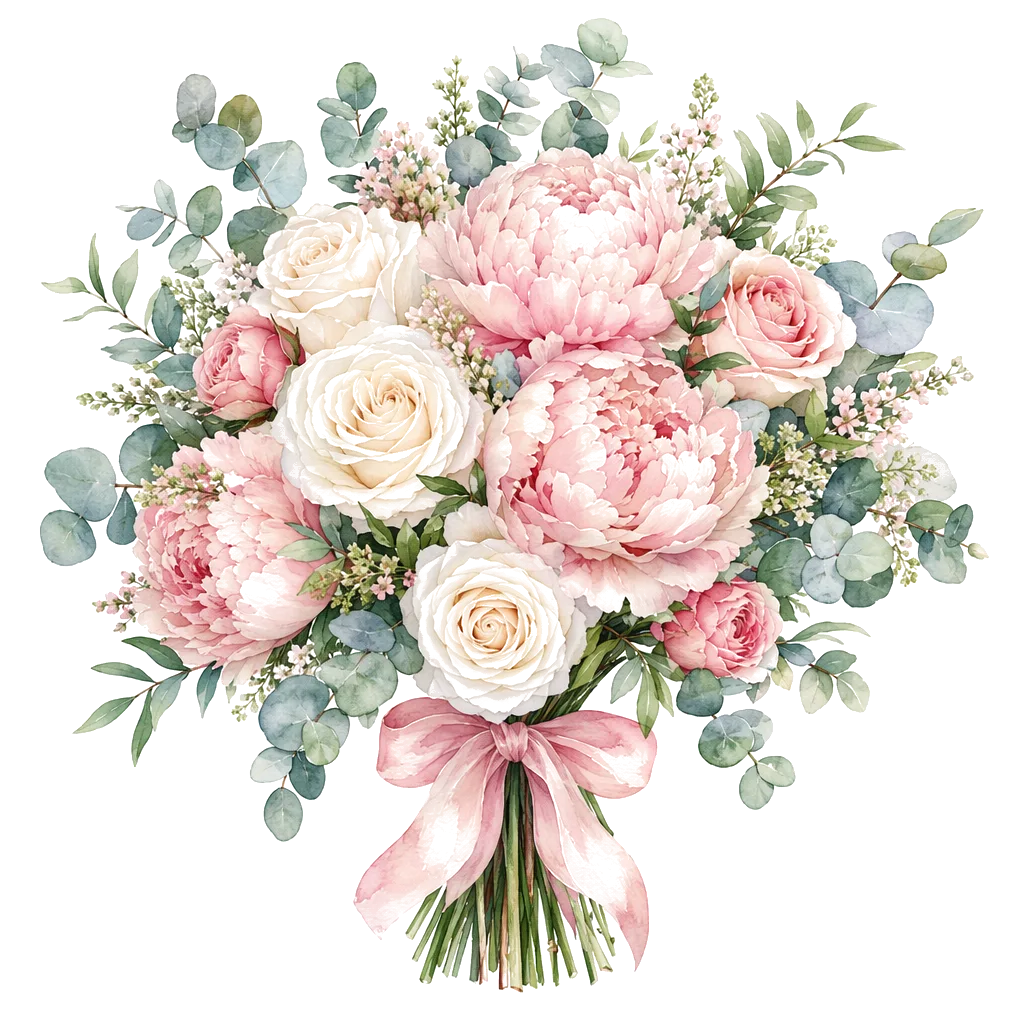
A good AI bouquet prompt is not a poem and not a product brief. It is a short stack of visual decisions: who the gift is for (in your head), what the bouquet should feel like, and how the card will be opened. On Create AI Bouquet, those decisions become a finished vertical gift card—then a gift link or download. Credits apply after sign-in; the free path stays available when you want hand-picked blooms instead.
This guide focuses on craft: what to put in style and mood language, what belongs only in the card fields, and how to iterate without wasting generations. For a product overview of the AI path, see the AI bouquet maker lander. For free vs AI routing, read free builder vs AI bouquet maker.
What a gift-card prompt is for
Generic flower generators online—tools like Phygital+, OpenArt’s flower generator, or VEED’s AI flower generator—optimize for “a pretty picture.” DigiBouquet AI optimizes for a send: bouquet scene + short note + share path. Your prompt should serve that job, not invent a novel on the stems.
Image models respond better to concrete visual language than vague wishes. Public prompt guidance from Adobe Firefly and Google Cloud both stress subject, setting, style, and specific detail. Translate that into bouquet language: bloom types or silhouettes, palette, wrap, light, background, and overall energy (soft, bright, quiet, celebratory).
The five-part prompt spine
When product fields ask for style, mood, or bouquet description, fill them like a spine—not a paragraph dump:
- Occasion energy — birthday bright, quiet miss-you, calm get-well, careful thanks. One phrase is enough.
- Bloom story — peonies and cream roses, or soft mixed garden stems; name a few, not a florist catalog.
- Palette — blush and cream, deep red and forest green, sunny yellow and white.
- Wrap and setting — kraft paper, silk ribbon, pale linen table, soft daylight, simple studio backdrop.
- Card format intent — vertical gift card, clean space for a short note, gift-ready composition (not a cluttered poster).
Example spine: “Soft pink peonies and cream roses, loose kraft wrap, pale linen surface, gentle daylight, quiet romantic mood, vertical gift-card composition.” Put the actual message in To / Message / From—two to four lines that sound like you.
Card text vs text drawn in the image
Models still struggle with long or precise text rendered inside images. Research discussions on text rendering reliability (for example arXiv work on text-in-image limits) are a reminder: do not bet a real apology or birthday wish on pixel-perfect lettering in the blooms. DigiBouquet AI’s product fields exist so the note travels with the gift as structured card text—not as a fragile OCR puzzle.
- Do keep the formal note short and personal in the message field.
- Do use the prompt for visual mood and bouquet look.
- Don’t paste a full letter into the image description and hope it appears letter-perfect.
Prompt patterns by occasion
| Occasion | Visual spine (short) | Card note habit |
|---|---|---|
| Birthday (group chat) | Bright mixed blooms, sunny palette, cheerful wrap | Name them + one warm line + signature |
| Miss you / long distance | Soft pastels, peony/rose softness, quiet light | Presence, not guilt; open-when-ready tone |
| Apology | Restrained palette, fewer blooms, calm background | Own the point; no loud celebration style |
| Get well | Gentle whites/soft yellows, airy greenery | Care without medical overclaim |
| Thanks | Clean, bright, unfussy arrangement | Specific help + short gratitude |
For more soft vs bold language you can copy, continue with soft vs bold flower styles: gift-ready prompt examples. For last-minute channel choices, see AI bouquet ideas when you cannot send real flowers today.
How to iterate without burning credits
Starter credits after sign-in exist so you can try generations; they are not unlimited free AI. Create Free Bouquet never spends them. Practical iteration:
- Write the note first. If the words are wrong, a perfect image still fails the gift.
- Generate once with a clear spine. Judge mood and palette before micro-tweaking flower names.
- Change one lever per retry: palette, wrap, energy (softer/bolder), or background—not all four.
- Stop when the card is “gift-ready,” not when it is museum-perfect.
If you realize you care about every stem name, switch to Create Free Bouquet instead of spending more generations.
What not to copy from generic AI tools
Stock-style generators often encourage long cinematic prompts, fantasy florals, or poster text. For a personal gift:
- Prefer gift-card composition over wallpaper density.
- Prefer human scale (hand-held bouquet, table still life) over stadium florals.
- Prefer honest product limits: short card, gift link without an app, optional download for chat or stories.
Export and channel tips live in how to generate flowers for chat, stories, and gift links. If you are choosing between a unique AI card and a reusable stock photo, see AI flower generator vs stock flower photos.
Checklist before you hit generate
- Occasion energy is one clear phrase.
- Palette and wrap are named.
- Bloom story is short (a few types or a silhouette).
- Real message is in the card fields, 2–4 lines.
- You know the channel: private gift link vs group image.
- You will self-preview the gift open once before sending.
We write to Google’s public bar for helpful, people-first content: clear jobs, honest credit limits, and prompts that help a real person finish a gift—not keyword padding.